
Digital Door Lock Installation in Corona: Smart Lock Hardware Guide
By Julian's Locksmith, , 10 min read
Digital door lock installation in Corona offers modern security and convenience with keyless entry, remote access, and customizable features. Learn how the hardware works and what to expect from this upgrade.
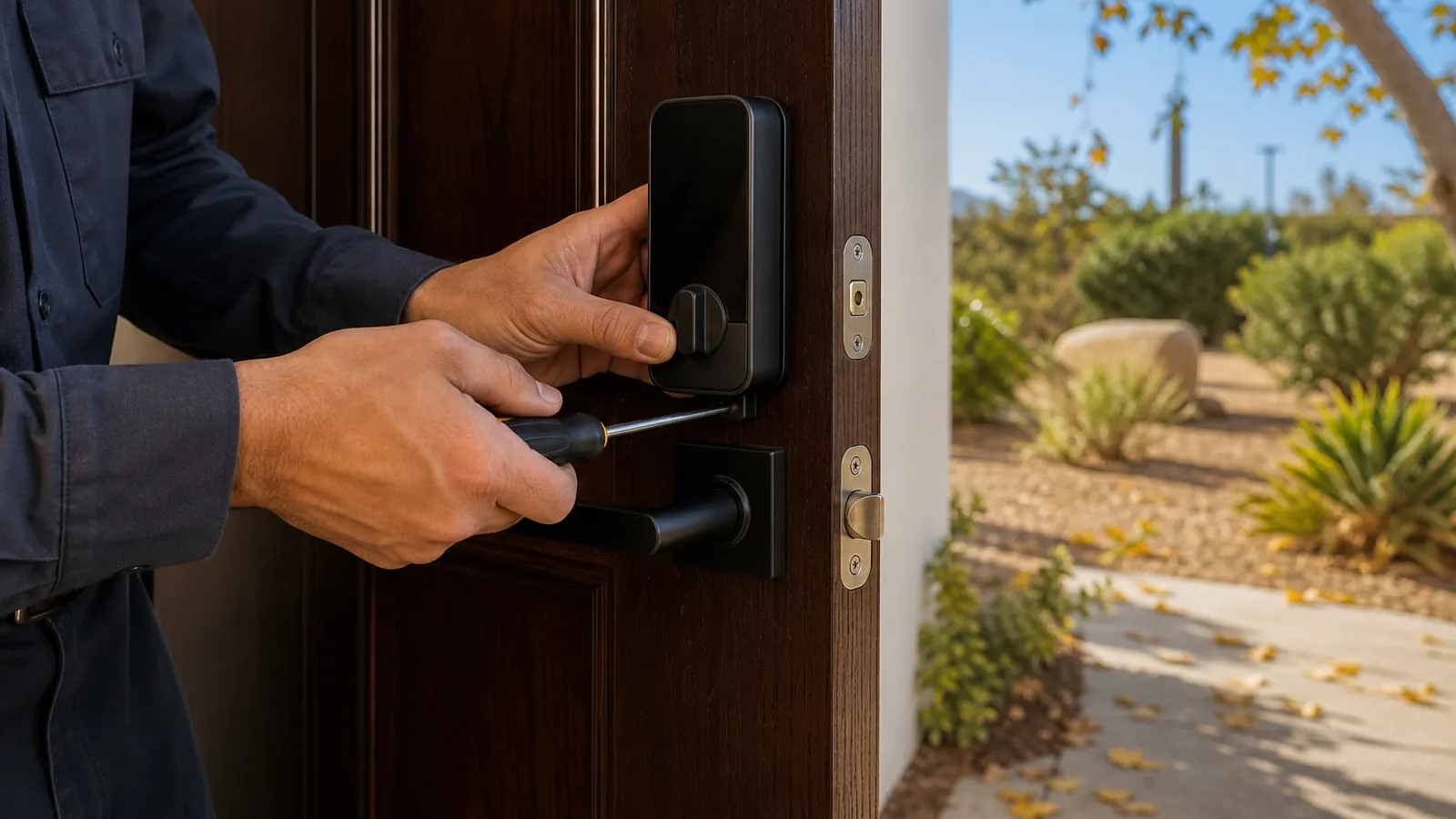
Digital door lock installation in Corona replaces standard deadbolts and keyed locks with advanced, keyless entry systems controlled by PIN codes, fingerprint scans, RFID tags, or smartphone apps. These smart locks give you more control, customizable access, and flexible security—features especially helpful for back-to-school routines, holiday travel, and changing schedules during Southern California's fall.
Understanding Digital Door Locks: The Basics and How They Operate
Digital door locks are electronic devices that control door access without traditional keys. Instead of a metal key, you (or trusted users) unlock the door using a code entered on a keypad, a fingerprint, a special fob, or a smartphone app. Many models combine several access options for flexibility.
Modern smart locks used in Digital Door Lock Installation in Corona can replace existing deadbolts or mount alongside them. Here’s what sets digital locks apart from regular keyed options:
- Access management: Easily create, edit, or remove PIN codes for different users—useful for babysitters, students, or short-term guests.
- Activity tracking: Check who entered and when, if the lock supports this.
- Remote control: With Wi-Fi or Bluetooth locks, you can lock or unlock the door and get activity alerts via a phone app—especially helpful during busy holiday periods.
- Physical key backup: Most locks still include a hidden keyway for emergencies.
For homeowners in Corona, this means no more hiding spares under a mat, worrying about lost keys, or rekeying locks after housekeeping visits. Instead, you manage entry directly from the lock itself or your phone.
Key Components of Digital Door Lock Hardware
When arranging Smart Lock Installation or Electronic Door Lock Installation in Corona, understanding each component can help you choose and care for your new system.
1. Lock Body and Mechanism
The main lock replaces your current deadbolt or latch assembly. It includes:
- A sturdy exterior shell (usually weather-resistant, rated for outdoor use)
- Internal motorized mechanism that moves the deadbolt when triggered
- Manual rotary knob or thumbturn (inside) so you can open or lock without power
Corona’s climate—dry, windy, and dusty in the fall—means local pros select hardware that won’t jam or corrode easily.
2. Keypad, Touchpad, or Biometric Interface
This is the user interface outside the door:
- Keypads feature tactile buttons or backlit touchscreens for entering PIN codes. Backlighting is useful as fall brings earlier sunsets.
- Biometrics add fingerprint authentication for convenience and security.
- Some models also offer RFID or NFC entry via keycards or phone taps.
3. Electronics and Power Supply
Most residential smart locks run on standard AA or lithium batteries hidden inside the interior assembly. They include voltage monitoring—when power gets low, you receive beeps, light signals, or app alerts. If ignored, many locks have emergency terminals for quick power using a 9V battery.
4. Wireless Communication Modules
Modern locks in Corona often use Bluetooth to talk to your phone locally, and Wi-Fi (either built-in or via a bridge) for remote access, notifications, and integration with home automation systems. Encryption keeps signals secure from tampering or snooping.
5. Backup Keyway
Most digital locks offer a hidden or covered cylinder for a traditional key. This isn't used daily, but is vital if batteries run down or electronics fail.
6. Interior Mounting Hardware
The inside part of the lock holds batteries, the motor drive, user programming controls, and a manual override for peace of mind during power loss. It mounts to your door with reinforcement for strength.
Licensed Smart Lock Installers in Corona know how to install these parts for crisp latch engagement and reliable year-round use—even with door frame swelling during humid weather or after strong Santa Ana winds.
How Digital Door Locks Control Access: Features Corona Homeowners Use Most
Smart locks deliver benefits that go beyond simple keyless entry. Here are the features Corona households and businesses value:
- Multiple user codes: Set permanent or temporary PINs for each family member, service provider, or visitor.
- Timed access: For example, give a school-age child a code that's only active after 3:00 PM, or set up temporary codes for package deliveries during holiday shopping.
- Auto-locking: The door can relock itself after a certain time, reducing the risk of accidentally leaving it open during hectic mornings or back-to-school rush.
- Audit trail: Some locks keep a log so you can see who entered and when—especially valuable for vacation or rental properties.
- Remote monitoring and unlocking: Using a compatible app, check lock status or let in a guest while at work, school functions, or during holiday events.
- Integration with home systems: Connect with cameras, alarms, or lights for added security and convenience.
For small businesses in Corona, digital locks allow for code management when staff shifts change, and for logging entry events—helpful in case of disputes or access tracking.
The Step-by-Step Digital Door Lock Installation Process in Corona
Professional digital door lock installation ensures proper fit, security, and functionality. Here’s what the process usually involves:
Initial Assessment
The locksmith evaluates the door's thickness, material (wood, metal, fiberglass), and alignment. Doors must meet lock specs for proper fit.Hardware Recommendation
You discuss your needs—number of users, features, whether you want integration with existing smart home tech, etc. The locksmith recommends models compatible with your property.Removal of Old Lock
The old deadbolt, latch, or knob set is carefully uninstalled. If the door or jamb requires reinforcement (sometimes needed due to humidity swaps after Santa Ana winds), it’s addressed here.Preparation for the New Lock
The installer may need to slightly enlarge holes, reinforce the strike plate, or adjust the latch position for snug, secure mounting.Mounting the Digital Lock
The new hardware—both exterior reader and interior assembly—are precisely installed. Cables (if any) are carefully routed, and batteries installed.Programming and Setup
Initial PIN codes or admin settings are created. Wireless modules are paired with your phone, Wi-Fi bridge, or smart home hub if needed.Testing
Every function—latch, code entry, manual override, remote app access—is tested. The installer explains daily use and backup procedures.Security and Ownership Verification
The locksmith checks ID and proof of ownership or residence before activating the lock, keeping your property protected.Cleanup and Final Instructions
You get a tutorial on changing codes, checking battery status, and using any emergency features.
Everything is quoted up front, so you know what to expect before work begins.
Why Digital Locks Are Gaining Ground in Corona: Addressing Fall Needs
During Southern California’s fall, features like keyless entry and remote access are especially valued. With the Santa Ana winds, schedules changing for school, and holiday travel, Corona residents want flexibility, convenience, and security.
- No more lost keys: Children and teens can remember a code even if they misplace a backpack.
- Temporary access: House sitters, pet feeders, or delivery services can be given one-time codes while you’re out of town.
- Later sunsets and lighting: Backlit or illuminated keypads are easier to use as daylight hours shorten.
- Fire season flexibility: In emergencies, you can grant quick access to neighbors or emergency responders if you’re away, without risking spare keys.
Modern smart locks offer weather-resistant ratings, so dust and sunshine don’t interfere. Local Locksmiths in Corona can recommend models that withstand the inland climate.
Integration with Smart Home Technology in Riverside County
Many Corona homeowners are linking digital door locks with broader automation systems. Here’s how integration works:
- Wi-Fi and app control: Monitor and control your lock from anywhere, receive entry alerts, and manage user access even while at work or on vacation.
- Voice assistance: Lock or check your front door using Alexa, Google Assistant, or Apple HomeKit—especially handy when you’re busy with school routines or hands full with shopping bags.
- Smart routines: Set the house to disarm the alarm and turn on porch lights automatically when a trusted code is used in the evening.
- Integration with security cameras: Sync smart locks to video doorbells for added security during the holidays.
When planning Smart Lock Installation, mention any existing smart systems. A skilled Smart Lock Installer in Corona programs compatibility and ensures secure connections.
Managing PINs, Users, and Security
Changing PINs is simple—set codes for recurring service providers, then disable them when no longer needed. Limit code sharing and routinely update or cycle codes. Some systems offer smartphone token or fingerprint-only access for extra security.
Maintenance and Troubleshooting: Keeping Your Digital Lock Reliable
Digital locks are generally low-maintenance but still need routine attention for top performance:
- Batteries: Replace them whenever the lock alerts you—never ignore chirps or app warnings. Keep spares handy, especially ahead of holiday trips.
- Cleaning: Gently wipe keypads and touchscreens with a soft, dry cloth. Never spray water or use solvents, as these damage electronics.
- Check alignment: Inland Empire weather swings can shift wooden doors. Ensure the bolt slides smoothly, and ask your installer about adjustments after strong winds.
- Firmware updates: For Wi-Fi models, routinely check for app/firmware updates to keep digital security current.
- Physical backup: Store your mechanical backup key somewhere safe, but not right near the door.
If you notice slowness, missed keystrokes, or error beeps, call a Locksmith in Corona for a professional diagnosis and tune-up.
Security Standards, Code Compliance, and Legal Considerations
Smart locks aren’t only about convenience—they must also meet California security codes and tenant laws:
- California Civil Code 1941.3: Requires deadbolts on most exterior doors in rentals. Digital locks installed as deadbolts usually satisfy this rule when professionally installed.
- Documenting changes: For rental units, get permission or notify the landlord per your lease and keep documentation of the upgrade or code change.
- Licensing: The California Locksmith Act (Business and Professions Code 6980 et seq.) governs who can install or open digital locks. Only a licensed, insured, and bonded professional—like Julian’s Locksmith (LCO7891)—should install, rekey, or troubleshoot smart locks. This protects your rights and safety.
A compliant Electronic Door Lock Installation in Corona ensures your property’s upgrades are legal and recognized by insurers.
Choosing the Right Digital Lock for Your Corona Property
Every smart lock has trade-offs. Fit, features, and compatibility are critical. Consider:
- Door construction: Solid wood and most metal doors work well; hollow-core or ornate doors may need reinforcement or special models.
- Entry types: Prefer keypads? Want to unlock with your phone or just a fingerprint? Different locks prioritize these options.
- Connectivity: Wi-Fi or Bluetooth for app access, or a standalone offline code lock for maximum reliability—choose what fits your needs.
- Battery life: Frequent use (busy households, home offices) shortens battery cycles. Opt for a lock with clear indicators and quick-change design.
- Integration: If you’re already using other smart home devices (cameras, thermostats), check compatibility before buying.
- Security certification: Look for locks certified by ANSI/BHMA for tested, rated strength and durability.
Personalized advice from a Smart Lock Installer in Corona means you won’t sacrifice security for convenience.
Why Work With a Licensed Professional for Digital Door Lock Installation?
While DIY kits exist, professional Digital Door Lock Installation in Corona means:
- Precise fit and alignment, which improves lifespan and reliability
- Secure programming, app setup, and code management
- Confidence your system is compliant with California law and insurance standards
- Reliable, round-the-clock support if something stops working or you get locked out
A pro locksmith verifies your identity before working—an essential step for your safety and asset protection.
To get started or learn more, Contact Julian’s Locksmith for a quote and answers to your smart lock questions.
Call Julian’s Locksmith: 24/7 Service in Corona
Ready to upgrade to digital locks? Call Julian’s Locksmith at (951) 903-3193, day or night. As a licensed, insured, and bonded mobile locksmith (LCO7891), we serve Corona and all surrounding Riverside County areas. Service is truly 24/7—including nights, weekends, and holidays. Start your digital door lock installation by phone or contact us online.
FAQs
Can a digital door lock be installed on any residential door in Corona?
Most residential doors in Corona can support digital door lock installation, but some older, custom, or unusually thick/thin doors may need adjustments or specific lock models. A licensed locksmith evaluates your door's compatibility before installation, ensuring the chosen smart lock fits your hardware and meets local safety requirements.
How long do batteries last in digital door locks, and what happens when they die?
Digital door lock batteries typically last from 6 months to 2 years, depending on use and model. Most smart locks warn you with beeps, lights, or app notifications as batteries get low. If batteries are fully drained, most locks allow emergency access with a backup keyway or an external 9V battery input to power the keypad briefly for entry.
Are digital door locks safe from hacking or burglary attempts?
Modern digital door locks incorporate strong physical hardware, encryption, tamper alarms, and multi-factor authentication in many models. Choosing locks certified by ANSI/BHMA and working with a licensed professional installer reduces risks. Manage PIN codes carefully and update app/software when prompted for continued digital security.
Does a smart lock installation in Corona need Wi-Fi or a smartphone?
Not all digital locks require Wi-Fi or smartphones. Many use keypads, RFID cards, or biometrics for entry. Wi-Fi features enable remote access and notifications but aren't required for local opening/locking. Your locksmith can recommend a lock to match your preferred method, connectivity, and property type.
What California laws should landlords and tenants know about digital locks?
California Civil Code 1941.3 generally requires that exterior doors in rentals have operable deadbolts. Many digital locks are deadbolt-based and meet this requirement. Always coordinate lock changes with landlords or property managers, and ensure legal compliance and proper documentation to meet lease/license rules.
Frequently asked questions
Can a digital door lock be installed on any residential door in Corona?
Most residential doors in Corona can support digital door lock installation, but some older, custom, or unusually thick/thin doors may need adjustments or specific lock models. A licensed locksmith evaluates your door's compatibility before installation, ensuring the chosen smart lock fits your hardware and meets local safety requirements.
How long do batteries last in digital door locks, and what happens when they die?
Digital door lock batteries typically last from 6 months to 2 years, depending on use and model. Most smart locks warn you with beeps, lights, or app notifications as batteries get low. If batteries are fully drained, most locks allow emergency access with a backup keyway or an external 9V battery input to power the keypad briefly for entry.
Are digital door locks safe from hacking or burglary attempts?
Modern digital door locks incorporate strong physical hardware, encryption, tamper alarms, and multi-factor authentication in many models. Choosing locks certified by ANSI/BHMA and working with a licensed professional installer reduces risks. Manage PIN codes carefully and update app/software when prompted for continued digital security.
Does a smart lock installation in Corona need Wi-Fi or a smartphone?
Not all digital locks require Wi-Fi or smartphones. Many use keypads, RFID cards, or biometrics for entry. Wi-Fi features enable remote access and notifications but aren't required for local opening/locking. Your locksmith can recommend a lock to match your preferred method, connectivity, and property type.
What California laws should landlords and tenants know about digital locks?
California Civil Code 1941.3 generally requires that exterior doors in rentals have operable deadbolts. Many digital locks are deadbolt-based and meet this requirement. Always coordinate lock changes with landlords or property managers, and ensure legal compliance and proper documentation to meet lease/license rules.
More locksmith advice
- Home Lockout Decision Guide: Wildomar Service Options Compared
- Your On-the-Spot Checklist for Keys Locked in Trunk in Cypress
- Cypress Multi-Door Access Control: Detailed Compliance Checklist
- Smart Deadbolt Installation in La Mirada: Deep-Dive FAQ
- Transponder Key Replacement in Glendora: Step-by-Step Guide
- High Security Key Duplication Checklist for Perris Homes