
Cypress Multi-Door Access Control: Detailed Compliance Checklist
By Julian's Locksmith, , 8 min read
A practical, detailed Cypress guide to multi-door access control. Covers assessment, design, seasonal hazards and ongoing training for safer, more flexible access.
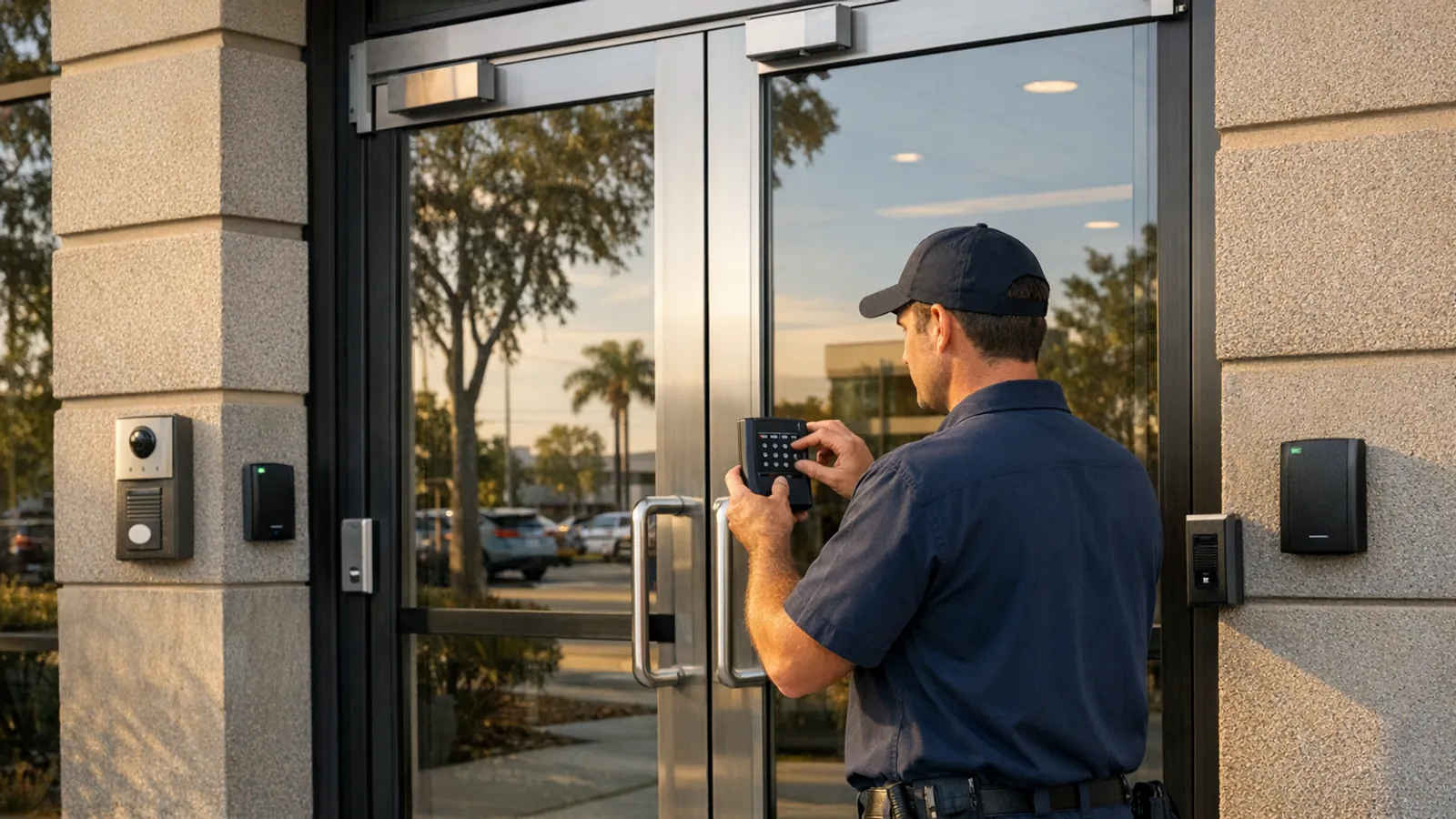
For offices, schools, HOAs, and retail centers in Cypress, a multi-door access control system can make security both smarter and more convenient. To ensure you’re fully protected—especially during the fall season, with Santa Ana winds and schedule changes—use this hands-on, local checklist every step of the way.
Survey and Document Every Door: Start with a Site Walk
Begin by visiting your entire Cypress property. Don’t just focus on main entrances—identify all doors that may need controlled access:
- Front, back, and side exterior doors
- Delivery, service, and loading-area entries
- Emergency exits
- Hallway, stairwell, and interior zone doors
- Garage and parking gates
- Rooftop or basement entries
- Utility, storage, and restricted-access rooms
For each doorway:
- Record its usual use (main entry, staff-only, after-hours, guest, etc.).
- List current hardware (traditional lock, mechanical code, magnetic stripe, RF reader, biometric scanner).
- Mark doors exposed to weather, especially those facing prevailing winds or direct sun—Santa Ana events and temperature swings are common in Cypress during fall.
- Note which doors are designated emergency exits (required to open for egress even if power fails).
- Tag doors that only see heavy use seasonally—school hallways, event center entries, or doors used more after daylight saving time ends.
Use a floor plan or spreadsheet. Missed doors increase risk.
Identify User Groups and Assign Access Schedules
A top advantage of multi-door access control is the ability to set precise, flexible permissions. Start by grouping your users:
Who Needs Access?
- Full-time staff or teachers
- Part-time or seasonal staff
- Students, HOA members, or residents
- Cleaning, delivery, and maintenance crews
- Guests, vendors, volunteers
When Should They Enter?
- Standard business/school hours
- Early/late shift times
- Weekends, holidays, or seasonal hours
- Night access (janitorial, emergencies)
- Special events: fall festivals, parent-teacher nights, holiday deliveries
Checklist:
- Assign every group to the doors they need
- Detail access times for each group and door—note exceptions for holidays, school breaks, or wildfire risk periods
- Prepare temporary protocols for periods of increased traffic, like back-to-school or the holiday season
A Multi-Door Access Control in Cypress system enables all this and more.
Choose the Right Hardware for Each Entry
Not all doors have the same needs. Exterior hardware faces Santa Ana winds and possible fire debris; interior doors require reliable scheduling and tracking. For every doorway:
Pick Credential Types
- Key codes/pin pads: Cost-effective, but code sharing is a risk for sensitive areas
- RFID cards or fobs: Fast for larger groups, but require card management (lost, stolen, or group updates)
- Mobile credentials: Secure, touchless—ideal for staff carrying packages or for kid-friendly hands-free access at schools
- Biometric readers: Use for high-security zones—office admin, network/server rooms, medical storage
Select Door Locks
- Electromechanical (strikes, maglocks, smart latches): Choose only hardware rated for the specific door, with weatherproofing for outside use
- Fail-safe for emergency exits: Must release to allow safe egress during power failures (per California code); test for fire season readiness
- Vandal- or weather-resistant designs: Especially for doors near playgrounds, high-traffic sidewalks, or exposed garage/parking entrances
Checklist
- Match hardware grade to risk level and expected usage
- Select weather-sealed readers for all outdoor mounts
- Confirm fire/life safety compliance for every controlled exit (mechanical override must be accessible)
- Plan power supply redundancy—battery backup or generator where required
Consult our Access Control page for an overview of credential and lock options, or a licensed Locksmith in Cypress for on-site guidance.
Create a Structured Layout and Permissions Plan
A clear, logical access plan is essential before you begin installation or programming. For each area/zoning:
Zone Layout
- Divide into zones: main entrance, public lobby, interior offices, employee-only areas, storage/IT closets, roof/basement access, etc.
- Assign user groups to each zone
- Determine if any areas require stricter schedules or secondary credentials (for example: school office access separate from classroom entry)
- Map future expansion points—are there doors or gates you might want to control next year?
Schedules and Exceptions
- Standardize day-to-day access, but pre-program seasonal exceptions: fall school activity nights, daylight saving time changes, special holiday hours, scheduled fire/evacuation drills
Compliance Review
- Confirm that emergency egress doors operate as required by law—mechanical access for quick exit, even if power is out
- Record your access mapping and keep an updated, printable copy for staff and emergency services
Checklist:
- Create and save a “zone and group” access map
- Document all scheduled exceptions (holidays, DST, events)
- Flag compliance items for review after installation
Prepare for Installation: Scheduling and Notification
Plan your installation to minimize disruption and keep everyone informed:
- Coordinate with school calendars, office downtime, or HOA meetings for least interference
- Schedule work ahead of fire season or wind events—fall is ideal if possible, ensuring systems are tested before increased hazards
- Notify staff, students, or residents in advance with timelines, affected doors, and any changes to entry procedures
- Provide temporary alternative routes or paper credentials for critical doors if upgrades take multiple days
Checklist:
- Confirm install schedule with your locksmith (allow buffer for unforeseen issues)
- Prepare temporary badges or escorts for out-of-service doors
- Replace or disable legacy keys, especially if moving from mechanical to electronic
- Clearly post signs about ID/residence verification required from a licensed Locksmith in Cypress
Rest easy knowing Julian’s Locksmith always quotes in advance, checks ID and right of access before work, and documents all changes for compliance.
Program Credentials, Groups, and Door Permissions
This step determines your day-to-day security—and flexibility. Set up:
- User information (name, group, schedule, access level)
- Assign RFID cards, key fobs, app credentials, or enroll biometrics as needed
- Photo ID (if your system supports visual logs)
- Permission sets by door or zone: e.g. cleaning staff use only after hours; classroom teachers access main and office doors; IT staff access equipment rooms
Programming Must-Dos
- Test each credential at every assigned door before going live
- Schedule temporary permissions for fall events or daylight saving time transitions
- Use "holiday mode" scheduling features to auto-activate changes (extra access or lockout periods) for school breaks and holiday seasons
Checklist
- Enroll all users with needed permissions
- Test access at all entries before system is handed over
- Schedule automatic or manual updates for known shifts in use patterns
For programming adjustments over time, see our Access Control Maintenance in Cypress.
Enable Audit Trails and Active Monitoring
Strong access control includes a record of activity—this can help with compliance, investigations, or simply troubleshooting missed schedules:
- Activate audit trail logging for every controlled door
- Review real-time activity for forced entry, after-hours use, or blocked access attempts
- Set up notifications for critical events (eg. fire exit used, entry after scheduled hours, repeated failed attempts)
Monitoring isn’t just for high-security buildings—retail stores, HOAs, and schools in Cypress all benefit from periodic reviews.
Checklist
- Test audit log reporting: can you trace who accessed what, when?
- Install or configure notification and alert rules for important schedules or zones
- Back up logs following school terms, major events, or maintenance cycles
Our Audit Trail Access System in Cypress page explains more about audit and traceability features.
Inspect and Maintain for Fall: Weather, Fire, and Schedule Hazards
Seasonal risks like Santa Ana winds, fire warnings, or holiday usage surges are common in Cypress during the fall. Regular inspection keeps your system strong:
Weatherproofing
- Inspect all external readers and lock wires for wind, rain, and sun damage
- Clear debris that may block doors or readers (wind-blown leaves are common in fall)
- Test seals, covers, and cable protection
Fire/Emergency Readiness
- Test emergency egress bars and fail-safe/fail-secure locks monthly during fire season
- Confirm backup batteries are charged and alarms function properly
- Keep doorways clear of combustible materials or blockage
Lighting and Visibility
- Confirm all switchable outdoor or hallway lighting works, so entry points remain visible after daylight saving time ends
- Inspect illuminated keypads or screens for nighttime usability
Holiday and Schedule Changes
- Program temporary access for seasonal deliveries, guest events, or extended business/school hours
- Review all group access lists for needed changes during back-to-school, holidays, or seasonal closures
Checklist
- Inspect hardware after major wind events or storms
- Test fire/emergency features monthly in peak season
- Update user schedules for daylight saving and holidays
- Clean sensors/readers and clear entries after blustery days
For scheduled professional checkups, see Access Control Maintenance in Cypress.
Plan Ongoing Maintenance and User Training
A multi-door access control system is only as effective as its maintenance and user awareness.
Routine Maintenance Steps
- Test all readers and entry/exit devices bi-annually, or after storms/wind events
- Update software and firmware during low-traffic periods (breaks/holidays)
- Inspect all power and battery backups (especially before wildfire or power outage risks)
- Clean and sanitize high-traffic devices
- Check for tampering or wear—flag suspicious log entries or damaged hardware
- Remove access for former staff, students, or residents—deactivate or collect old cards and fobs immediately
- Confirm logs are regularly downloaded and reviewed for unusual patterns
User Communication
- Provide basic instruction to all users on how to present credentials, report faults, or request help
- Issue seasonal security updates, especially before fall/winter schedule changes
- Clearly display emergency contacts: Contact Julian’s Locksmith and your local support
Checklist
- Schedule training or reminders with every major schedule or policy change
- Distribute clear written guides for daily and emergency procedures
- Hold hands-on demos for new users, especially in schools and large offices
Need help with maintenance or user orientation in Cypress? Julian's Locksmith delivers both technical and practical support.
How to Reach Us for Multi-Door Access Control in Cypress
Julian’s Locksmith is fully licensed (California LCO7891), insured, and offers 24/7 mobile Multi-Door Access Control in Cypress—including overnight, weekends, and holidays. We always verify your ID and ownership before beginning, and provide an up-front quote for every job. For a property walk-through, maintenance or urgent questions:
- Call Julian’s Locksmith at (951) 903-3193
- Or Contact us online
Our team supports schools, HOAs, commercial offices and more anywhere in Cypress or Orange County.
FAQs: Multi-Door Access Control in Cypress
What kinds of doors can be included in a Cypress multi-door access control system?
Multi-door access control in Cypress can manage main entries, side exits, garages, gates, rooftop doors, storage areas, offices, and even fire exits—almost any doorway that needs scheduled, secure access. The system's flexibility makes it suitable for offices, schools, HOAs, or retail properties.Does California law require special licensing for access control work?
Yes. Under California’s Locksmith Act (Business & Professions Code 6980+), anyone installing or servicing electronic or key-based access control must be properly licensed by the Bureau of Security and Investigative Services. Check licenses at search.dca.ca.gov.How do Santa Ana winds and fire season affect access control in Cypress?
Santa Ana winds can stress hardware and blow debris into exterior readers or lock mechanisms, while fire season means emergency egress requirements must be double-checked. Systems should be inspected for outdoor durability, battery backup and fail-safe operation for safe evacuation.Can multi-door access control be updated to match changing schedules (like school or holiday hours)?
Yes. Systems can be programmed for seasonal schedules and special events like school start/end times, holiday parties, or daylight saving time changes. Updates are done via software, often remotely, to set temporary permissions or adjust access windows for specific days or groups.How often should access control systems be checked or maintained in Cypress?
Plan at least semi-annual professional maintenance, with additional checks after storms, power outages, or schedule changes. Fall is ideal for battery testing and inspections, since both weather and usage patterns shift. Regular checks keep your system compliant and reliable. META>>>
Frequently asked questions
What kinds of doors can be included in a Cypress multi-door access control system?
Multi-door access control in Cypress can manage main entries, side exits, garages, gates, rooftop doors, storage areas, offices, and even fire exits—almost any doorway that needs scheduled, secure access. The system's flexibility makes it suitable for offices, schools, HOAs, or retail properties.
Does California law require special licensing for access control work?
Yes. Under California’s Locksmith Act (Business & Professions Code 6980+), anyone installing or servicing electronic or key-based access control must be properly licensed by the Bureau of Security and Investigative Services. Check licenses at search.dca.ca.gov.
How do Santa Ana winds and fire season affect access control in Cypress?
Santa Ana winds can stress hardware and blow debris into exterior readers or lock mechanisms, while fire season means emergency egress requirements must be double-checked. Systems should be inspected for outdoor durability, battery backup and fail-safe operation for safe evacuation.
Can multi-door access control be updated to match changing schedules (like school or holiday hours)?
Yes. Systems can be programmed for seasonal schedules and special events like school start/end times, holiday parties, or daylight saving time changes. Updates are done via software, often remotely, to set temporary permissions or adjust access windows for specific days or groups.
How often should access control systems be checked or maintained in Cypress?
Plan at least semi-annual professional maintenance, with additional checks after storms, power outages, or schedule changes. Fall is ideal for battery testing and inspections, since both weather and usage patterns shift. Regular checks keep your system compliant and reliable.
More locksmith advice
- Home Lockout Decision Guide: Wildomar Service Options Compared
- Your On-the-Spot Checklist for Keys Locked in Trunk in Cypress
- Smart Deadbolt Installation in La Mirada: Deep-Dive FAQ
- Transponder Key Replacement in Glendora: Step-by-Step Guide
- High Security Key Duplication Checklist for Perris Homes
- Rekey Door Locks in Pico Rivera: In-Depth Answers and Guidance