
Walnut, Los Angeles County
Walnut Multi-Door Access Control: One System, Every Door
Short answer: Most multi-door systems use either a controller at each door or a panel in a closet that runs four, eight or more doors. Panels cost less per door but need more cable. Door-level controllers on the network need less cable but more power points. For Walnut properties, the better layout depends on the building, and we compare both on paper before quoting.
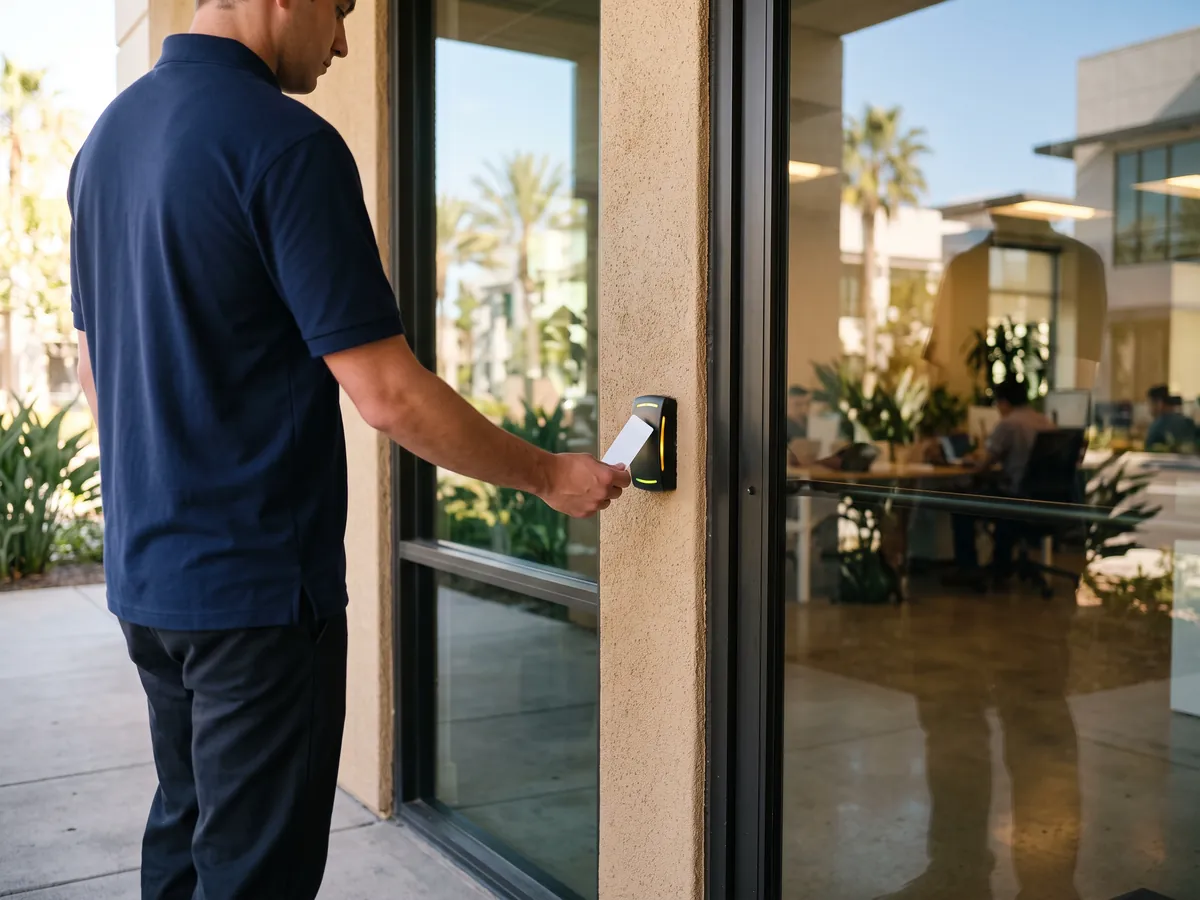
Behind every multi-door system sits one person who adds users, removes users and answers the question of why the back door didn't open at six this morning. Choosing the right platform means choosing something that person can actually manage. Julian's Locksmith explains cloud-managed and on-site options without a sales pitch, makes sure you hold the administrator login, and trains your staff. We work every day from 6:30 a.m. to 11:30 p.m., so changes to a live system in Walnut are planned with that in mind. Documentation goes into your hands, not ours, so any competent technician can pick up where we leave off.
What to know first in Walnut
The hardware gets the attention, but the permission model is where multi-door access control earns its keep. You enter people, assign each to a group such as managers, warehouse staff, cleaning crew or tenants, and give each group an access level: a set of doors and the hours that apply. Add holiday rules so the front door stays locked on a Monday holiday, and a first-person-in rule so the lobby doesn't open until a manager badges. Add alerts for doors forced or held open and reports for who entered a room last week. Good design keeps this simple: few groups, clear names, no one-off exceptions that nobody remembers. Bad design lets people accumulate access over the years until the whole building opens to everyone. We build the structure with you in plain language before we program anything, and we leave a short document your next administrator can follow. A practical test: ask to see the screen where a new hire gets their access. If you can follow it on first viewing, your administrator will cope when you're away.
How we can help in Walnut
- Access levels, door groups and schedules. We help you turn how your organization works into rules the system can enforce. Staff groups, door groups, working hours, holiday dates and exceptions are set up with names that will still make sense six months from now. Fewer groups usually means fewer mistakes.
- Credential rollout and key retirement. Credential choice shapes the whole system. Cards, fobs, phone credentials and PINs can coexist across doors, with a PIN for low-risk rooms and card plus PIN for sensitive ones. We help you pick a format with room for more users and avoid ones that are easy to clone.
- Adding doors to an existing system. Many projects are expansions: a new suite, a second building, a gate or a storeroom added to a system already running. We find the existing controllers, check capacity for readers, relays and power, match the credential format and add the new doors without disturbing the rest.
- Reports, alerts and audit logs. Once several doors report to one system, you can see patterns a single lock never shows: who entered the stockroom last week, which doors are propped open every afternoon, how many invalid reads hit a door overnight. We set up reports and alerts you will actually read, not a flood you will learn to ignore.
- Maintenance, monitoring and support. When a door fails, the first job is figuring out which part, and a multi-door system helps. Door status and logs often show whether a reader, lock, contact or the controller is at fault. We use that information to arrive with the right part and avoid replacing things that were never broken.
What's different about Walnut
Senior communities need a system that protects residents without trapping or confusing them. Main doors, memory care wings, medication rooms and staff areas may each have different rules, and some doors must release in an emergency or on a fire alarm. We work with the community's administrators and fire safety requirements, choose simple credentials, and keep resident-facing doors easy to use. Staff training matters as much as hardware, so we keep the administrator steps short.
Boarding stables and training facilities share tack rooms, feed rooms, wash racks and arena gates among owners, trainers, staff and farriers. A multi-door system lets each boarder open the tack room they pay for and not the neighbor's. In Walnut, we choose sealed hardware to resist dust, hay and weather, and schedule gates to match training and feeding hours. Vet and farrier schedules can be set as weekly windows.
Hot summers are hard on a system with many powered parts. Controller cabinets and power supplies in unventilated closets or attic spaces overheat, batteries age faster and plastic readers warp in direct sun. For Walnut buildings, we place equipment in cooler spaces, specify weather-rated readers outdoors and test battery backup at the end of summer, when weak batteries show themselves. Labels and adhesive signs also peel in sun, so we use mechanical fasteners.
Common situations
- A small dealership has a key room, parts cage, service entrance and showroom doors. Managers need everything, salespeople need the showroom and key room during open hours, and technicians need the shop. We'd build three groups, log every entry to the key room, and set the service door schedule to shop hours. When a salesperson leaves, one change in the system removes their key-room access immediately instead of forcing a rekey.
- For example, a light industrial yard near Lemon Avenue has two small buildings, a dock office and a pedestrian gate. The owner wants day-shift staff in and the gate locked by evening. We'd run a controller in each building, link them over network cable in conduit, schedule the gate to match shifts, and give the owner one login for all of it. If a delivery driver needs the gate before opening, a temporary credential covers it without sharing a code.
- Consider a food distributor with a cold storage room, a dry goods warehouse and a loading dock. Condensation and temperature swings are hard on readers near the cooler door. We'd use weather-rated readers there, schedule the dock for receiving hours, and put the controller in a dry, ventilated cabinet on the warm side of the wall. A door-held-open alert on the cooler is worth setting, since an open cold room costs product as well as security.
- A typical growth case: a nonprofit starts with four doors on a panel that has room for eight. A year later it leases the adjacent suite and wants to add the connecting door and a storage room. Because capacity and power were planned up front, we'd add readers and locks, enroll staff in the existing groups, and skip a new controller. The only visible change for staff is a new reader beside a door they already use.
How the visit works
- Walk the building and list every door. Start with a rough list of your doors and a sense of who needs which. On site, we confirm it against the building, because there are almost always one or two doors that nobody mentioned. We also ask about problem spots: doors that get propped open, lost keys and places where staff wait to be let in.
- Group the doors and set priorities. Grouping also helps decide hardware. Doors that share a type and a corridor often share a hardware set and a controller. We bring you a one-page summary showing groups, priorities and rough sequence, so you can approve the order before anyone prices parts.
- Design controllers, power and network. Design choices get explained in plain language: panel versus door-level controllers, wired versus wireless locks on difficult doors, cloud versus on-site software. We show how each option affects cost, cabling, maintenance and what happens when the network drops. You pick the direction before we price in detail.
- Quote in writing, in phases. You receive a written, door-by-door quote that lists hardware, labor, software or subscription, credentials and any work for other trades. Phases are shown separately, so you can start with the most important doors and see what each addition would cost.
- Install, program and enroll people. Programming follows the structure we agreed: doors named the way staff talk, groups matching roles, schedules entered and checked against a calendar. We enroll credentials with names attached, test each one at its main doors, and fix mistakes while the install is still fresh.
- Cut over, train and document. Training covers what your administrator actually does: add and remove users, change a schedule, void a lost card, read the log and export a report. We leave a written guide that fits in a drawer, plus the door schedule, wiring notes and administrator login details in your hands.
What affects the cost
- Door count and controller capacity. Each door adds a lock, reader, sensors, cable and labor, but controller capacity changes the math. A board that runs four doors is most efficient when four are used. A fifth door may require another board or panel. We show where those thresholds fall so you can decide where to draw the line.
- Mix of door types. Some doors need repair before electrification: a sagging hinge, a weak closer, a frame that has been cut up. Those fixes are separate lines. A door that doesn't close reliably will fail no matter how good the reader is, so we price the repair honestly instead of hiding it.
- Software, licensing and cloud fees. Ask what the license includes. Some platforms charge for extra administrators, extra sites, video integration, mobile credentials or longer log retention. We list the optional features you asked about and those you may not need, so the recurring cost matches the way you'll use the system.
Every job gets a clear quote before any work starts. Call (951) 903-3193 with the details and we'll tell you what to expect for your situation in Walnut.
Common errors that cost time and money
- Buying readers and locks before anyone counts the doors and checks the frames. Products that fit a steel door won't fit aluminum storefront, and half the order may end up in a closet. Survey first, then buy exactly what the door schedule calls for. Returning special-order hardware, if it's allowed at all, rarely recovers the full price.
- Mixing card formats between buildings or tenants. Two incompatible formats mean two cards in every wallet, double the reader inventory and an awkward migration later. Pick one format for the whole property and confirm it before ordering anything. Retiring a format later usually means replacing every reader at once.
- Testing only the happy path. Many installs prove that a valid card opens a door and stop there. Also test an invalid card, exit from inside, power loss, a dropped network, a held-open door and the fire alarm release before you accept the work.
Practical tips before you call
- Review access lists every quarter. Remove people who left, check who has more doors than their job needs, and look at which doors report repeated invalid attempts. A short regular review keeps the permission model from drifting toward everyone having everything. It usually takes less time than a staff meeting.
- Write down every door before you talk to anyone, including the ones you rarely use. Roof hatches, side gates, stairwell doors and storage rooms get forgotten and then become the weak points. A complete list also keeps early quotes close to the final number. Walk the building with a notepad before the survey, and count both floors.
- Request a door schedule, wiring diagram and settings summary at handoff, and keep a copy off site. When something fails or a new vendor takes over, those documents save hours of rediscovery. Update them whenever a door is added or changed. Include a photo of each controller cabinet with its door labels visible.
- Keep the old keys working until the new system has proven itself. After a few weeks of normal use, retire or rekey the old cylinders and collect keys. Switching overnight leaves no fallback if a schedule or a credential turns out to be wrong. Store the old keys in a locked box so you can show which ones were collected.
Getting to Walnut
Walnut is about 40 miles from our San Bernardino base, roughly 46 minutes in light traffic via I-215 South briefly to SR-210 West. When you call, you get an arrival estimate based on where the technician is and the traffic at that moment.
Stuck on the shoulder or in a parking lot along I-10? Get somewhere safe, turn on your hazards, and give us the nearest exit or business so we can find the car without guessing.
About Walnut: Most of Walnut was developed in the 1980s as residential planned developments, and the hilly terrain required extensive grading to create buildable pads.
| Neighborhoods | Hunter Hills Estates, Lemon Creek, Ridge Estates, Three Oaks, Creekside, Suzanne Park area |
|---|---|
| ZIP codes | 91789 |
| Main routes | SR-60, SR-57, I-10, Valley Boulevard |
| From our San Bernardino base | about 40 miles via I-215 South briefly to SR-210 West (Foothill Freeway) through Rialto, Fontana, Rancho Cucamonga and La Verne, then SR-57 South to the Temple Avenue exit and west past Mt. SAC to Grand Avenue, Amar Road and La Puente Road; I-10 West to SR-57 South as the alternate, and SR-60 West through the 57/60 confluence to Lemon Avenue, Fairway Drive or Nogales Street for Valley Boulevard and West Valley |
Business lock or door work in Walnut?
Call (951) 903-3193 with the address, the doors or hardware involved and when the site is open. We'll quote the job before any work starts and book a time within our hours that suits your schedule.
Frequently asked questions
Can you take over a system another company installed?
Often yes, once we know what's there. We identify the controllers and software, check that you hold the administrator login, and review the wiring and hardware. If the system is open and still supported, we can service and extend it. If it's tied to the original installer or obsolete, we explain the options, including a staged replacement.
What happens if the internet or network goes down?
On most modern systems, controllers keep a local copy of users and schedules, so doors keep working and events are stored until the connection returns. What you lose temporarily is remote management and live alerts. Battery backup handles power outages. We test both situations before handoff, because offline behavior varies from one product to another.
Is it better to have one controller per door or one panel for the building?
Panels in a closet cost less per door but need cable from every door to that closet. Door-level controllers need less cable but more power points and more devices to maintain. Building shape, ceiling access and your IT setup usually decide. We draw both layouts for your doors and compare cost, risk and room to grow.
How long does a multi-door installation take, and when can you work?
A handful of doors with easy cable access can take a few days. Larger buildings or phased projects run over weeks. We work every day from 6:30 a.m. to 11:30 p.m., and we plan around your hours. The quote notes anything, like backordered hardware, that could stretch the schedule.
How much does multi-door access control cost?
Price depends on the number of doors, door and frame types, lock hardware, cable distance, software licensing, credentials and any electrician or fire alarm work. We don't quote flat prices. After a walk-through of your building in Walnut, you get a written door-by-door quote, with phases and options, before any work starts.
What are access levels and door groups?
An access level is a named bundle of doors plus the hours they apply, such as Warehouse Days or Managers All Doors. A door group is a set of doors treated as one for convenience, such as every exterior door. You assign people to levels instead of individual doors, so a change takes seconds rather than a trip to each door.
How far is Walnut from your base?
Walnut is about 40 miles from our San Bernardino base, roughly 46 minutes in light traffic. Arrival time depends on traffic and on the job the technician is finishing, so we give you an estimate on the phone before you commit.
Related services in Walnut
Multi-Door Access Control in nearby cities
- Multi-Door Access Control in West CovinaLos Angeles County
- Multi-Door Access Control in Diamond BarLos Angeles County
- Multi-Door Access Control in ValindaLos Angeles County
- Multi-Door Access Control in Rowland HeightsLos Angeles County
- Multi-Door Access Control in CovinaLos Angeles County
- Multi-Door Access Control in City of IndustryLos Angeles County
- Multi-Door Access Control in Charter OakLos Angeles County
- Multi-Door Access Control in La PuenteLos Angeles County