
Orange, Orange County
Keyless Entry Installation in Orange: Plan Every Way In
Short answer: We install keyless entry seven days a week, 6:30 a.m. to 11:30 p.m. We verify ownership or residency first, quote before starting and hold California license LCO7891. Call (951) 903-3193, tell us how many doors you have in Orange, and we'll say whether one visit covers the survey and the work.
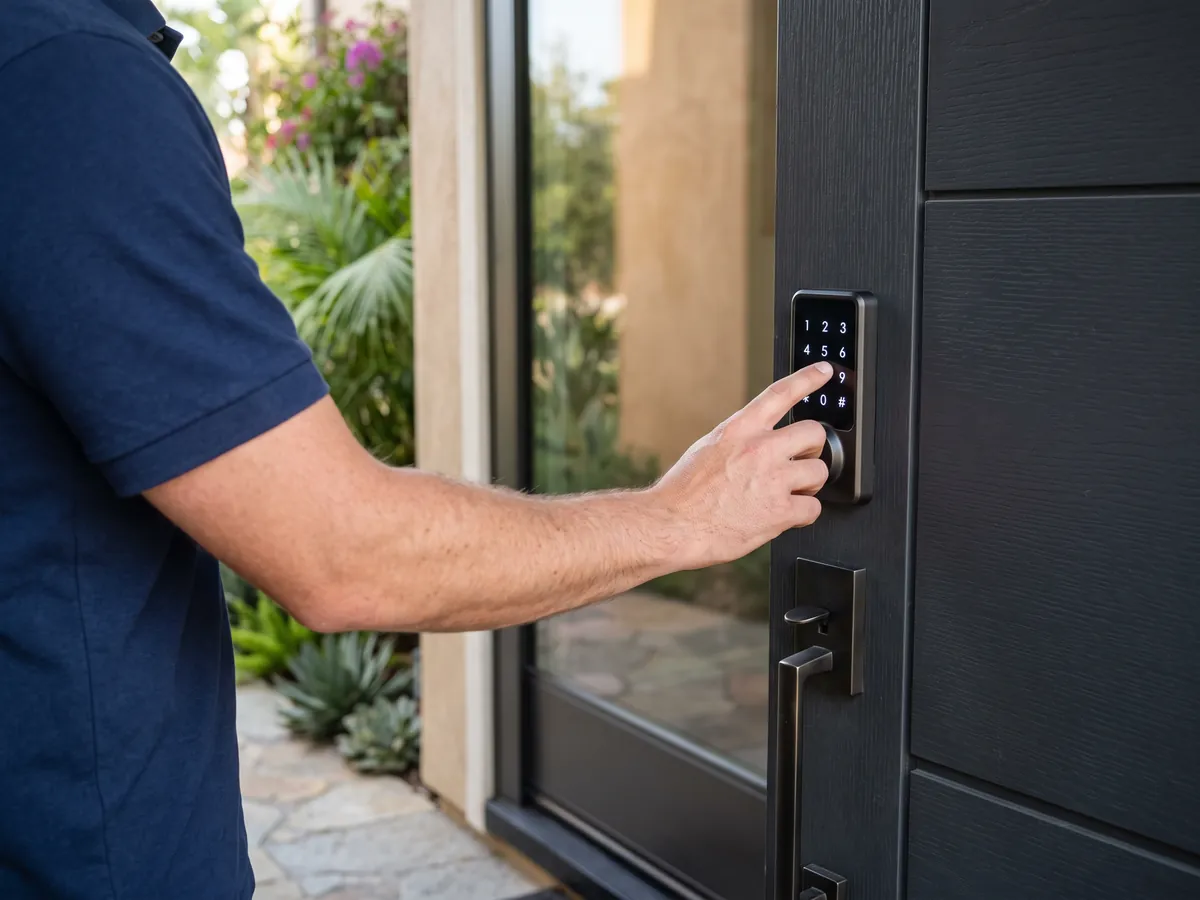
'Keyless entry' means different things depending on who's searching. Homeowners usually mean a door lock that opens with a code, fingerprint or phone. Drivers mean the remote that chirps the car locked. Facilities managers mean card readers and electric strikes. This page is mainly about the first meaning, with a note on the second. For a house, townhome, casita or small office in Orange, keyless entry installation covers the lock, the way people enroll, the power and the backup. If you're asking about a vehicle, tell us the year, make and model when you call, and we'll tell you honestly what we can program or replace.
How this works in Orange
Think of keyless entry as a set of credentials, and choose one for each kind of person. A PIN code is the universal one: free to share, easy to delete, usable by a guest, a cleaner or a child. Its weakness is that codes can be watched or guessed, so six digits and no birthdays are the sensible baseline. Fingerprints suit people who use the door daily, but wet, dirty or dry fingers sometimes fail, so there must always be a second way. Cards and fobs, which use RFID or NFC, are easy to hand to workers and easy to cancel when lost. Phones work through Bluetooth, Wi-Fi or tap-to-enter standards such as Apple Home Key, and they stop working when the phone's battery does. Most households end up mixing: a fingerprint for the adults, individual codes for kids and helpers, a mechanical key in a safe place. A keyless entry installation should match each credential to the person who will actually use it, and we help you do that.
Work included on a typical visit
- Entrance survey and entry plan. We walk every way into your property: front door, back door, garage side door, sliders, gates, casitas and outbuildings. For each, we note the door material, the hardware, who uses it and when. The result is a short entry plan you can approve before any hardware is ordered.
- Fingerprint entry for household members. Fingerprint locks suit people who use the door daily and hate remembering numbers. We enroll each finger from several angles and adjust the reader's sensitivity. Because fingers get wet, dirty or dry, we always leave a code or key as a second way in.
- Phone and app-based entry. Phone entry means the lock recognizes Bluetooth or a network command from an app. It's good for remote access, shared guest invitations and activity logs. It's a poor sole credential, because phones die and people forget them, so we pair it with a code or a key.
- Power, backup and emergency entry planning. Before we leave, we decide what happens when power or batteries fail. That means setting a low-battery alert that reaches you, showing you the 9-volt contacts if the lock has them, keying the backup cylinder and agreeing where the spare key lives. It's the part of the plan you hope never to use.
- Car keyless entry: factory remotes and fobs. Many vehicles have remote entry built in, and a dead remote is often a battery or a programming issue, not a missing system. Tell us what the car does when you press the button. Sometimes the fix is a coin cell, sometimes a reprogram and sometimes a replacement fob.
How Orange shapes the job
Student houses see rapid turnover and many hands. A keypad on the front door lets a landlord delete a departing roommate's code without rekeying, and gives each tenant a personal code. For students near Irvine Regional Park and the Orange County Zoo, we suggest durable keypads and a clear written code policy. Renters should get the owner's approval before any change, and we verify who we're working for before starting.
Small downtown offices, studios and shops often keep too many keys in too many pockets. A keypad or card reader on the street door gives each person a credential and lets a manager cancel one at a time. For keyless entry installation in Orange's business districts, we confirm the door type, the exit-hardware requirements and whether the lease allows changes to the storefront before suggesting a system.
Families tend to want three things from keyless entry: no more lost keys, an easy way to let kids and helpers in, and a way to check that the door got locked. A keypad on the front and the garage side door covers most of it. For Orange households, we add a code per child, a code for the sitter and an auto-lock delay long enough for carrying groceries.
Common situations
- Here's the car variation: a driver calls asking for keyless entry installation on an older sedan whose remote stopped working. We'd ask whether the car originally had a remote, test the battery and see whether the factory system can simply be reprogrammed. Often the answer is a battery or a reprogram, not a new installation.
- Say two working parents want their kids to let themselves in after school without a hidden key. We'd put a keypad on the door, give each child a code and, if the lock is connected, set an alert so a parent's phone shows when each child arrives. A code that stops working on weekends is another option.
- Picture a retiree whose daughter lives two hours away and wants to help. We'd install a keypad lever with large, easy-to-read buttons, a code for the caregiver and a code for the daughter, plus a key with a neighbor. If the lock is connected, the daughter can add or remove a code by phone whenever the caregiver changes.
- An outage test: a power shutoff during high winds takes down the router on a foothill street. The battery-powered keypad lock keeps working, but the app can't reach it. The family uses their codes as usual, and connected features return when the power does. That's why we insist on one entry method that needs nothing but memory.
From your call to the finished job
- Call and describe the property and who uses it. A few facts shape the visit: a house or an office, owned or rented, how many entrances, what kind of doors and whether you already use a smart-home system. If you can text photos of each door, inside and out, we can bring better options and spend less time guessing.
- Walk every entrance with us. The walk-through is where the real plan forms. We stand at each door and talk through how it's used: who comes in at night, who needs to leave quickly, whether it's visible from the street. That conversation does more for the design than any product catalog.
- Choose credentials, platform and power. With the doors mapped, we choose hardware. You decide, with our advice, which entry methods go where, whether the locks are connected, and how they're powered. We show you the trade-offs in plain terms: convenience against upkeep, remote features against simplicity. Nothing is installed until you approve the plan.
- Prepare and install each door. Where a door can't take a standard lock, such as a slider or French door, we install the specialized hardware that fits it. We label each lock to its door in our notes and keep the old hardware in a bag, so you can see what came off.
- Enroll users and test every credential. With the locks installed, we set the master code and enroll users: codes, fingerprints, cards and phones. Each person gets a name, not a number. We test every credential from outside with the door closed, and test the backup key, so you know each way in works before we leave.
- Hand over the admin plan. We finish with a one-page plan: who holds the master code, where the spare key lives, how often to check the batteries and what to do when a code is compromised. We suggest keeping a copy offline, in a safe place, because that page is effectively the keys to the house.
What affects the cost
- The credentials you choose. Card and fob systems add the cost of credentials: each card or fob has a price, and a lost one has to be replaced. For a household, that's rarely worthwhile. For a small office or a rental with many users, it often is. We help you estimate based on the number of people.
- Power: batteries, hub or hardwired. Battery life affects upkeep over time. Locks that keep their radios awake drain batteries faster than keypad-only models. We tell you what to expect so you can budget for cells and plan reminders. Skipping connectivity often means a long stretch of quiet operation between battery swaps.
- Timing, distance and add-ons. If your project includes a gate, an outbuilding or a door far from the house, tell us up front. Distance across a property, difficult mounting surfaces and the need for weather-rated hardware shape the plan. A short call lets us arrive with the right parts instead of making a second trip.
Every job gets a clear quote before any work starts. Call (951) 903-3193 with the details and we'll tell you what to expect for your situation in Orange.
Practical tips before you call
- Look at a keypad in direct afternoon sun before you buy. Some touchscreens wash out, and some dark finishes get hot enough to be uncomfortable. If the door faces west, a shaded entry or a lighter finish makes daily use easier.
- Remember the garage door remote. A clip-on opener left in a car visor is an open door to your garage, and often to the house. Keyless entry on the house door works best when the garage opener doesn't undo it, so carry the remote or use the wall control.
- Match brands across doors where you can. One app, one battery size and one code system is easier to manage than four. If you mix brands for design reasons, write down which app controls which lock so you aren't hunting through your phone at the door.
- Set the auto-lock delay to match your habits. If you carry groceries in two trips, a longer delay stops you from being locked out mid-load. Let the family see how it behaves for a week, then adjust. A lock that annoys the household gets switched off.
Mistakes to avoid
- Handing everyone the same code. A shared code can't be removed without telling everybody, and it doesn't tell you who entered or when. Give each person their own code, name it clearly in the lock or on your list, and delete it the day they no longer need access.
- Converting only the front door. The garage side door, slider and back door are often easier to get through than the front, so a shiny keypad out front can leave a weak back. Look at every way in before deciding where to spend, and plan the system as a whole.
- Forgetting the garage opener in the car. A remote clipped to a visor and a car parked on the street is an invitation. Keep the remote with you, not in the vehicle, or switch to the opener's wall keypad and rolling code.
Service in Orange
Orange is about 52 miles from our San Bernardino base, roughly 60 minutes in light traffic via I-215 South through Colton and Grand Terrace to SR-91 West. When you call, you get an arrival estimate based on where the technician is and the traffic at that moment.
Our path into Orange depends on where the previous job wrapped up. Sometimes that's a straight run via SR-55; other times it's surface streets the whole way. Either way, you get a heads-up call when the technician is close.
About Orange: Orange Park Acres was founded in 1928 as an equestrian community, and almost all of its homes sit on lots of at least 20,000 square feet.
| Neighborhoods | Olive Heights, Fairmeadow Eichler tract, Fairhills Eichler tract, Fairhaven Eichler tract, Old Towne Orange, North El Modena |
|---|---|
| ZIP codes | 92865, 92866, 92867, 92868, 92869 |
| Main routes | I-5, SR-22, SR-55, SR-57 |
| From our San Bernardino base | about 52 miles via I-215 South through Colton and Grand Terrace to SR-91 West (Riverside Freeway) through Riverside, Corona and the Santa Ana Canyon, then SR-55 South (Costa Mesa Freeway) to the Chapman Avenue exit; west on Chapman Avenue for Old Towne and the Plaza, east on Chapman Avenue for El Modena, Santiago Canyon College and Orange Park Acres; alternate via I-10 West to SR-57 South and the Chapman Avenue exit for The City district, The Outlets at Orange and UCI Medical Center when the 91 is jammed |
Smart lock help in Orange?
Call (951) 903-3193 with the lock's brand and model and what it's doing, or what you'd like installed. We'll tell you what can be done on-site and quote it before any work starts.
Frequently asked questions
Can you add keyless entry to my existing door?
Usually, yes. Most standard doors already have the 2-1/8 inch hole and 1 inch edge bore a keypad deadbolt needs, so the installation reuses them. Doors with extra holes, unusual backsets, glass panels or thin skins may need filler plates or a different approach. We measure and inspect first, then tell you what the door can take.
Can I keep using my old keys?
Most keypad and fingerprint locks keep a key cylinder as a backup. We can key the new cylinder to match your existing keys, or key it to a fresh key if you want to retire the old ones, which makes sense after a move or a lost key. Either way, we test the key several times before we leave.
What happens when the batteries die?
Good locks warn you well ahead, and most still have a backup path: a key cylinder, and on many models contacts for a 9-volt battery that wakes the keypad long enough to enter your code. We set up the low-battery alert, show you the emergency options and test the key. Replace all the cells together when the warning appears.
Do I need Wi-Fi for keyless entry?
No. A basic keypad or push-button lock works entirely on its own, with batteries and no network. Wi-Fi adds remote control, notifications and code changes from your phone, but it also means batteries to change more often and software to keep updated. We help you decide whether those extras are worth it for each door.
Can everyone in my family have a different code?
Yes, and we recommend it. Most keypad locks store plenty of codes, and many let you name them or set schedules. Individual codes mean you can delete one person's access without disturbing anyone else. We enroll each person with you, name the entries so they stay meaningful and show you how to manage the list yourself.
Can you set up keyless entry for my garage door?
Two different things share that name. The garage door opener's wireless keypad is set up through the opener's learn button and isn't a lock job. The side door and the door from the garage into the house are locks, and those are ours. We can convert them to keypad or fingerprint entry so you don't carry keys to the house or the garage.
How far is Orange from your base?
Orange is about 52 miles from our San Bernardino base, roughly 60 minutes in light traffic. Arrival time depends on traffic and on the job the technician is finishing, so we give you an estimate on the phone before you commit.
Related services in Orange
- Smart Locks & Keyless Entry in Orange
- Keyless Door Lock in Orange
- Keypad Lock Installation in Orange
- Keyless Lock Installation in Orange
- Electronic Door Lock Installation in Orange
- Digital Door Lock Installation in Orange
- Smart Lock Installation in Orange
- Smart Deadbolt Installation in Orange
- Keypad Gate Lock in Orange
- Commercial Keyless Entry in Orange
Keyless Entry Installation in nearby cities
- Keyless Entry Installation in Villa ParkOrange County
- Keyless Entry Installation in TustinOrange County
- Keyless Entry Installation in Santa AnaOrange County
- Keyless Entry Installation in AnaheimOrange County
- Keyless Entry Installation in PlacentiaOrange County
- Keyless Entry Installation in Yorba LindaOrange County
- Keyless Entry Installation in FullertonOrange County
- Keyless Entry Installation in Garden GroveOrange County