Chino Hills, San Bernardino County
Smart Locks and Keyless Entry in Chino Hills
Short answer: Yes, a licensed locksmith can handle smart locks and keyless entry for Chino Hills homes, rentals and small offices. Julian's Locksmith, California license LCO7891, installs keypad and app-controlled locks, sets up per-tenant or per-guest codes, and keys the mechanical override to your other locks. Call (951) 903-3193 for an honest assessment and a quote before any work begins.

For a landlord or short-term host in Chino Hills, a keyless lock is mostly a key-control tool. Every lost or unreturned key used to mean a rekey; with a keypad you delete one code and issue another. That convenience only holds up if the setup is disciplined. Each tenant, cleaner and guest gets a separate code, codes expire on schedule, the owner account stays with the owner, and the mechanical backup cylinder is rekeyed at every turnover, because people forget it exists. Julian's Locksmith sets up rental smart locks that way, keyed to your property key where it makes sense, and we verify ownership or management authority before working on any unit.
Smart locks suit a place like Chino Hills, where both adults often commute and kids come home on their own schedule. A keypad or app lets you issue a code to the teenager, the dog walker or the housekeeper and remove it when the job ends. Nobody has to hide a key under a planter. The hardware comes in a few families. Keypad-only locks need no Wi-Fi and run on batteries. Bluetooth models work with your phone at the door. Wi-Fi, Z-Wave and Matter-over-Thread models connect to a hub or router, so you can check from work that the door is locked. Schlage Encode, Yale Assure, Kwikset Halo, Level, August, Lockly and Ultraloq all have their place. We help you choose the platform that fits your phone and your home setup first, then the lock. Practical points matter more than features. Heat shortens batteries on west-facing doors, so pick a model with a keyed backup or external battery contacts. Townhome and HOA owners should check the rules before changing exterior hardware. For rental use, codes with start and end dates keep guests from keeping access.
Smart Locks & Keyless Entry in Chino Hills: what to expect
Inland Southern California is hard on electronics bolted to the outside of a door. A west-facing entry in Chino Hills can sit in direct afternoon sun for hours, and the exterior escutcheon, with its keypad and circuit board, soaks up that heat. Alkaline batteries lose capacity faster in high temperatures, touchscreens wash out in glare, and rubber buttons harden and crack. Santa Ana winds push fine dust into fingerprint sensors and keyways, and closer to the coast, salt air corrodes battery contacts and finishes. Power outages, including planned shutoffs in fire-prone areas, take down Wi-Fi bridges even though the battery-powered lock keeps working at the door. None of that rules out smart locks and keyless entry here. It means choosing models with a stated operating range and weather rating that fit your exposure, favoring designs that keep the batteries on the interior side, keeping a working mechanical key, and changing batteries on a calendar rather than waiting for the warning beep.
How we can help in Chino Hills
- Keyless lock consultation and platform matching. Some customers call with three browser tabs open and no decision. We narrow it down by checking the door's backset, thickness and existing bolt condition, then matching those measurements to locks that fit without new drilling. If the door is a mortise, a steel security door or a pair of French doors, we'll tell you which keyless options are realistic.
- Smart lock troubleshooting and repair. Offline locks, codes that stop working and batteries that die in weeks each have a short list of usual causes. We check signal strength at the door, firmware and app settings, code schedules and time zones, and the extra current drawn by a binding bolt. Many Chino Hills calls end with an adjustment and a settings fix rather than a new lock.
- Backup cylinder rekeying and keying alike. Nearly every smart deadbolt hides a regular pin tumbler cylinder for emergencies. Out of the box it runs on a random factory key; after a home sale it runs on whatever keys the last owner handed out. We rekey that cylinder to match your other locks, so one key opens every door when the batteries or electronics give out.
- Strike and door alignment for motorized bolts. A motorized deadbolt has a fraction of the force your wrist has. If the door sags, the jamb has shifted, or the strike hole is shallow, the bolt stalls and the lock reports a jam. We tighten or replace hinge screws, deepen and square the strike pocket, and adjust weatherstripping so the bolt slides home with the door at rest.
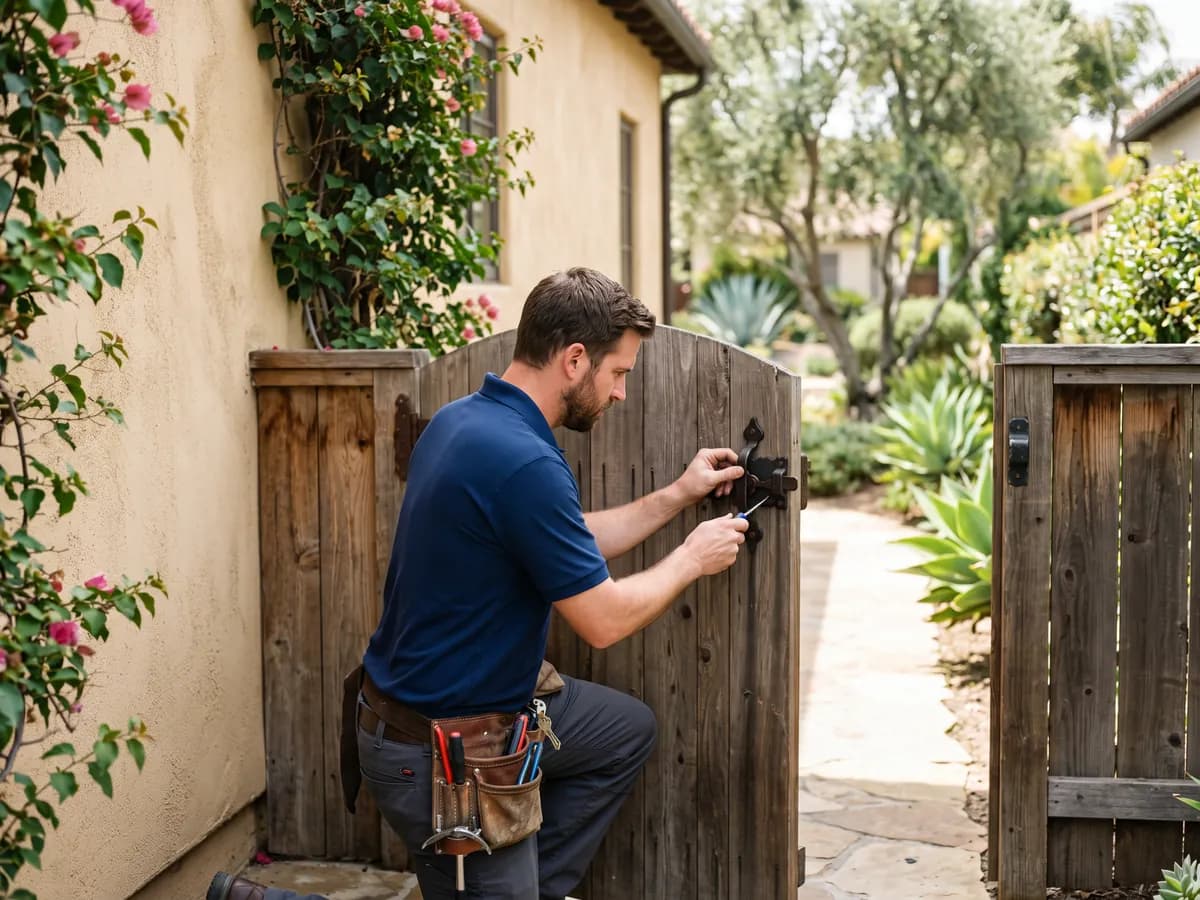
- Keyless locks for gates, casitas and small offices. Side gates, pool gates and detached casitas often benefit from keyless hardware more than the front door does. We install weather-resistant keypad gate locks and mechanical pushbutton locks that need no batteries at all, which suits sun-baked gates and outbuildings without power. On pool gates, we keep the self-closing, self-latching requirements in mind.
What's different about Chino Hills
Larger homes bring longer distances between the router and each door, multiple entries and often a mix of finishes. Mesh Wi-Fi, Z-Wave repeaters or Thread border routers placed near each entry make remote control dependable. A high-security cylinder such as Medeco or Mul-T-Lock can sometimes stay in place under a retrofit unit, keeping key control intact while adding app access. Housekeepers, landscapers and pool crews each get scheduled codes instead of keys.
Inland heat is the biggest enemy of smart locks here. Exterior keypads on sun-facing doors can get far hotter than the air, which shortens battery life, fades displays and stiffens rubber buttons. Doors also bow slightly in direct sun, enough to make a motorized bolt catch the strike in the afternoon. Change batteries before summer, choose locks with published temperature ratings, and have the strike set with a little clearance for seasonal movement.
Long commutes make the did-I-lock-it question expensive. A connected lock with auto-lock and an in-app status check answers it from a freeway on-ramp. For early starts, put the keypad on the door you actually leave by, often the garage entry, and confirm the lock reports status over cellular data, not just home Wi-Fi. Our 6:30 a.m. start every day makes a scheduled install before work possible.
Example situations
A family near Overlook Park has a dog walker, a housekeeper and two teens who come home from Chino Hills High at different times. We would fit a Wi-Fi smart lock with a keyed cylinder as backup, create a separate code for each person, and set the walker's code to work only on weekdays between set hours. When the housekeeper changes, the old code is deleted from the app in seconds. The family never has to rekey the house for that.
- Imagine a small dental office near Ruben S. Ayala High School where the back door still uses keys handed out years ago. The owner wants staff codes and a record of who opened the door early. A standalone keypad lever with an audit trail fits that need without running any wire. We'd install it, key the override to the office master key, and set codes that can be deleted when someone leaves.
- For example, you've just closed on a house near Chino Hills Community Center and Community Park and the front door has a touchscreen deadbolt the sellers left behind. You don't have the admin code, the lock still belongs to their app account, and the backup key on the counter may not be the only copy. We'd verify your ownership documents, factory reset the lock, set it up under your account and rekey the override cylinder.
- Consider a family whose two teenagers each have a code, plus the house cleaner, a dog walker and a neighbor from three summers ago. Nobody remembers which code belongs to whom. A cleanup visit might delete everything, issue named codes with schedules for helpers, turn on arrival notifications for the kids' codes, and leave the parents a written record of who has access.
How the visit works
- Tell us about the door and the goal. On the phone we ask a few pointed questions. What brand and model is the lock, if you have one? Which phones and smart home system does the household use? Is this a rental? Those answers decide whether we bring a hub, a strike kit, a rekey kit or replacement batteries.
- Inspect the door and existing hardware. We look for problems a motorized bolt won't tolerate: loose hinge screws, a sagging door, a thin or split jamb, weatherstripping that pushes the door away from the strike, and an old cylinder that sticks. Fixing those first is what keeps a new smart lock from jamming next month.
- Choose the lock and platform together. If you haven't bought a lock yet, we narrow the choice to two or three models that fit your door and your system, and explain the differences in battery life, connectivity and backup entry. If you already own one, we confirm it fits and mention any limitations before installing.
- Install, align and secure. Installation includes the unglamorous parts: deepening the strike pocket, tightening hinges, adjusting weatherstripping, and calibrating the lock to the door's handing. On a lock with a door position sensor, we set the magnet and test auto-lock. The goal is a bolt that moves as easily under motor power as by hand.
- Pair, program and test every way in. We pair the lock with your phone, hub or Matter controller, create the owner account with you, and add users and codes. Then we test each method of entry: keypad, app, fingerprint if fitted, auto-lock, and the mechanical key. A lock that only works one way isn't finished.
- Hand over and plan for batteries. The handover includes a battery plan. In inland heat, we suggest replacing batteries on a calendar, often at each daylight saving change, rather than waiting for warnings. We note the battery type the manufacturer specifies and explain that rechargeables can confuse some low-battery meters.
What affects the cost
- Door condition and prep work. A door with standard bores and a sound jamb makes for a straightforward install. Extra prep adds time: enlarging a bore, filling old holes, deepening a strike pocket, reinforcing a split jamb or rehanging a sagging door. We point out anything we find and price it before doing it.
- Diagnosis and repair versus replacement. Some calls cost less than people expect because the lock is fine. Dead batteries, a lost Wi-Fi connection after a router change, or a bolt dragging on a shifted strike account for many service calls in Chino Hills. You pay for the actual fix, quoted before we start, not for parts you didn't need.
- Timing, programming and handover. A scheduled upgrade during regular hours is the simplest visit. An evening lockout because a keypad went dark adds an entry step, such as picking or bypassing the override, before any repair. We work every day until 11:30 p.m. Overnight we're closed, from 11:30 p.m. to 6:30 a.m., so plan installs accordingly.
Every job gets a clear quote before any work starts. Call (951) 903-3193 with the details and we'll tell you what to expect for your situation in Chino Hills.
Practical tips before you call
- Set auto-lock to a delay that fits how you use each door. A short delay suits a front door; a garage entry door where you carry groceries may need longer. Too short and you'll be punching in your code with full arms; too long and it barely helps.
- If your Wi-Fi lock refuses to pair, check whether your router combines its 2.4 GHz and 5 GHz bands under one name. Many locks only join 2.4 GHz. Temporarily splitting the bands, or setting up a 2.4 GHz guest network, often solves pairing problems that look like lock defects.
- When you sell a home with a smart lock, factory reset it, remove it from your app account, and leave the new owners the manual and override keys. When you buy one, assume the last owner still has access until a reset and a rekey prove otherwise.
- Keep a record of your lock's model number, admin email and programming code somewhere other than the phone that runs the app. Phones get lost, and some locks can't be reset or reprogrammed without the code printed on a card in the original box.
Common errors that cost time and money
- Mixing old and new batteries, or using rechargeables in a lock not designed for them. Mismatched cells drain unevenly, and the lower voltage of many rechargeables can trigger constant low-battery warnings or erratic motor behavior. Use one fresh set of the type your manual specifies.
- Ignoring the mechanical key. Many owners toss the override keys in a drawer and forget the cylinder exists. Then the batteries die, the emergency power trick fails, and the only key is inside. Keep one override key with a trusted neighbor or in a secured lockbox away from the door.
- Forcing a jammed bolt with the motor. Pressing lock again and again when the bolt stalls strips gears and burns through batteries. If the lock reports a jam, open the door, turn the thumbturn by hand to feel where it binds, and fix the alignment before trying again.
Getting to Chino Hills
Chino Hills is about 37 miles from our San Bernardino base, roughly 43 minutes in light traffic via Palm Avenue to I-215 North, I-15 South at Devore through Rancho Cucamonga and Ontario. When you call, you get an arrival estimate based on where the technician is and the traffic at that moment.
Once the evening commute thins out on Peyton Drive, drive times usually shrink. That makes an evening call before closing a practical option for non-urgent jobs that you couldn't fit into the workday.
About Chino Hills: Chino Hills incorporated on December 1, 1991, after a wave of suburban development in the late 1980s; roughly 42,000 people lived there at the time.
| Neighborhoods | Rolling Ridge, Los Serranos, Vellano, Woodview / Village Crossing, LaBand Village, Carbon Canyon |
|---|---|
| ZIP codes | 91709 |
| Main routes | SR-71, SR-60, SR-142, Chino Hills Parkway |
| From our San Bernardino base | about 37 miles via Palm Avenue to I-215 North, I-15 South at Devore through Rancho Cucamonga and Ontario, then SR-60 West to SR-71 South (Chino Valley Freeway); exit Grand Avenue or Chino Hills Parkway for the north and central neighborhoods, Soquel Canyon Parkway or Butterfield Ranch Road for the south end, and follow Chino Hills Parkway to Carbon Canyon Road (SR-142) for Western Hills and Sleepy Hollow |
Smart lock help in Chino Hills?
Call (951) 903-3193 with the lock's brand and model and what it's doing, or what you'd like installed. We'll tell you what can be done on-site and quote it before any work starts.
Frequently asked questions
What's the difference between a smart lock and a keyless entry lock?
Keyless entry simply means you can get in without a key, usually with a keypad code. A smart lock adds a connection, such as Bluetooth, Wi-Fi, Z-Wave or Matter, so you can manage it from a phone or hub, see an entry log and lock it remotely. Every smart lock is keyless, but not every keyless lock is smart. In Chino Hills, plenty of households are happiest with a simple keypad deadbolt.
Do fingerprint door locks work reliably?
They work well for most adults with healthy, clean fingers, and they're quick once enrolled. They struggle with very dry or thin skin, prints worn down by manual work, wet hands and dusty sensors after windy days. Enroll several fingers per person, including one from each hand, re-enroll if reads become unreliable, and always keep a code as a backup. Gently cleaning the sensor helps too.
My smart lock shows offline in the app. What should I check?
Start with the batteries, then ask whether your router, network name or password changed recently. Wi-Fi locks often need the 2.4 GHz band, and Bluetooth locks rely on a bridge that may have been unplugged or moved. Hub-connected locks may need a repeater if they sit far from the controller. If those check out, the lock may need re-pairing or a firmware update, which we can handle on site.
Which smart lock works best with an iPhone or an Android phone?
Most major smart locks have apps for both. The difference is deeper integration. iPhone households may want Apple Home support, and some locks add Home Key, which lets you tap an iPhone or Apple Watch to open the door. Android and Google Home users often prefer Matter or Wi-Fi models. If your household mixes phones, Matter or a brand app that runs on both keeps everyone included.
Do Z-Wave and Zigbee door locks need a hub?
Yes. Z-Wave and Zigbee locks don't connect to Wi-Fi themselves; they talk to a controller such as a SmartThings or Hubitat hub, a Home Assistant radio, or an alarm panel from a security company. The upside is long battery life and local control. The downside is that the hub has to be working and within range. We confirm your controller supports the lock before installing it.
Can you install a smart lock I bought online?
Yes. We install customer-supplied locks regularly. Before the visit, send us the brand and model so we can confirm it fits your door's backset and thickness and that you have any required hub or bridge. If the box is missing parts or the door needs prep work, we'll explain and quote that before going further. The lock's own warranty stays between you and the manufacturer.
How far is Chino Hills from your base?
Chino Hills is about 37 miles from our San Bernardino base, roughly 43 minutes in light traffic. Arrival time depends on traffic and on the job the technician is finishing, so we give you an estimate on the phone before you commit.
Related services in Chino Hills
- Smart Lock Installation in Chino Hills
- Smart Lock Troubleshooting in Chino Hills
- Smart Lock Repair in Chino Hills
- Smart Lock for Rental Property in Chino Hills
- Smart Lock for Airbnb in Chino Hills
- Keypad Lock Installation in Chino Hills
- Access Control in Chino Hills
- Lock Rekeying in Chino Hills
- Deadbolt Installation in Chino Hills
- Smart Gate Lock Installation in Chino Hills
Smart Locks & Keyless Entry in nearby cities
- Smart Locks & Keyless Entry in Diamond BarLos Angeles County
- Smart Locks & Keyless Entry in ChinoSan Bernardino County
- Smart Locks & Keyless Entry in PomonaLos Angeles County
- Smart Locks & Keyless Entry in MontclairSan Bernardino County
- Smart Locks & Keyless Entry in WalnutLos Angeles County
- Smart Locks & Keyless Entry in Rowland HeightsLos Angeles County
- Smart Locks & Keyless Entry in Yorba LindaOrange County
- Smart Locks & Keyless Entry in San DimasLos Angeles County